Audiototext

Before you begin

Learn how to convert an audio file to a text file

To convert audio to text, start with a recording you can play and a place to save the finished words. Keep the original file until you have checked the transcript against it. If the recording contains private information, decide whether an online service is appropriate before sharing it.

Free to start · no signup
Audiototext audio transcription illustration

numbered steps

Follow this sequence whether you use transcription software or type the words yourself.

  1. 1

    Prepare a playable recording

    Open the file locally and listen to its beginning, middle, and end. Check that speech is audible and that the recording is the version you intend to transcribe. If several people speak, note their names or use neutral labels such as Speaker 1. Do not discard the original after trimming a copy.

  2. 2

    Create a first transcript

    Choose a transcription method that accepts your recording, then provide the file or play it while you type. To convert audio to text with an automated service, follow that service’s file and privacy instructions. Treat its result as a draft: background noise, overlapping voices, names, and technical terms can change what it hears.

  3. 3

    Check the words against the audio

    Replay uncertain passages while reading the draft. Correct names, numbers, dates, and negations first because small errors there can reverse a sentence’s meaning. Mark genuinely unclear speech rather than guessing. If speakers matter, make their labels consistent throughout the document.

  4. 4

    Save a plain-text copy

    Copy the checked transcript into a text editor and save it with a descriptive name ending in .txt. Reopen the saved file to confirm that its characters, paragraph breaks, and speaker labels survived. Keep the recording separately so you can verify a quotation later.

common errors and fixes

A transcript can look polished while still being wrong. Match the symptom to the recording before changing your workflow.

advanced tips

The best way to convert audio to text depends on what the finished text must do. These situations call for different checks.

Interviewers

Two people interrupt one another, and the written record must show who said what.

Use consistent speaker labels and replay overlaps instead of assigning uncertain words to either person. Keep pauses or filler words only when they matter to the interview.

convert audio to text vs transcribe
Students

A lecture includes unfamiliar names, abbreviations, and terminology.

Check those terms against course materials, then listen again before making corrections. Separate your own notes from words actually spoken in the recording.

what is convert audio to text online

Message recipients

A voice message contains an address, appointment time, or instruction.

Verify each critical detail by listening to the message; a readable transcript is not proof that a number was captured correctly.

whatsapp audio to text converter online free

Researchers

A recording may contain identifiable or confidential information.

Decide where the audio may be processed before uploading it. Remove details only from a working copy, and document any edits that affect the transcript.

is convert audio to text safe reddit

From a recording to readable text

Illustration representing audio awaiting transcription Audio source
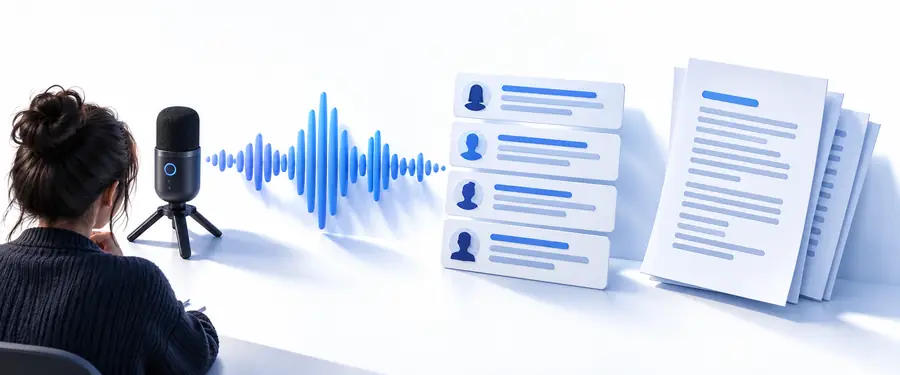
Illustration representing a reviewed text result Checked transcript
These images illustrate the workflow, not a guaranteed output. To convert audio to text accurately, compare the draft with the recording before calling it finished. A good text file preserves the spoken meaning in readable paragraphs while making uncertainty visible.

Choose your transcription method

Either method can produce a text file. The difference is how you build the first draft, not whether you need to verify it.

Automated draft
Manual transcription

First pass

Automated draft

A service proposes words from the recording; inspect the result before relying on it.

Manual transcription

You listen and type each passage, often replaying difficult sections.

Names and jargon

Automated draft

Review proper names and specialist terms against a reliable reference.

Manual transcription

You can check unfamiliar words as you type, but may still mishear them.

Overlapping speech

Automated draft

Replay overlaps; do not assume speaker assignments are correct.

Manual transcription

Mark overlap or uncertainty when you cannot confidently separate voices.

Privacy decision

Automated draft

Read the service’s handling terms before submitting sensitive audio.

Manual transcription

Local typing avoids an upload, though you must still secure the recording and text.

Corrections

Automated draft

Edit the draft while checking it against the source.

Manual transcription

Proofread your typed version and replay quotations or important details.

Final text file

Automated draft

Copy the verified words into a text editor and save as .txt.

Manual transcription

Save the verified typed words as .txt and reopen the file to check it.

Finish with a transcript you can check

Start with your recording

Audiototext can point you toward a transcription workflow. Before you continue, make sure you have permission to process the recording and know what you need from the result. To convert audio to text responsibly, keep the source, verify important passages, and save the checked words in the file type your task requires.

Transcribe my audio
  • Listen to the source before submitting it
  • Check names, numbers, and unclear speech
  • Reopen your saved text file

tutorial FAQ

Play the recording to confirm it is the right file, then make a draft by typing what you hear or using a transcription service. Compare the draft with the audio, correct important details, and save the verified words in a plain-text file ending in .txt.

Yes. Paste the checked transcript into a plain-text editor, save it with a .txt extension, and reopen it to verify the result. Plain text keeps the words and line breaks but does not retain rich formatting.

Replay the passage with some context before and after it. If it remains unclear, mark it as uncertain rather than inventing a word, especially when the passage contains a name, amount, date, or instruction.

Yes, particularly if you plan to quote it or act on its contents. Listening while you review helps catch missing negations, mistaken speakers, and similar-sounding numbers that a fluent-looking draft can hide.

Transcribe audio
Transcribe audio